Skip to content

Bilingual Writing App for
Non-Native English Speakers

Write in your language, publish in English, and keep drafting, translation, grammar review, and rewriting inside one calm workspace.

One connected workflow
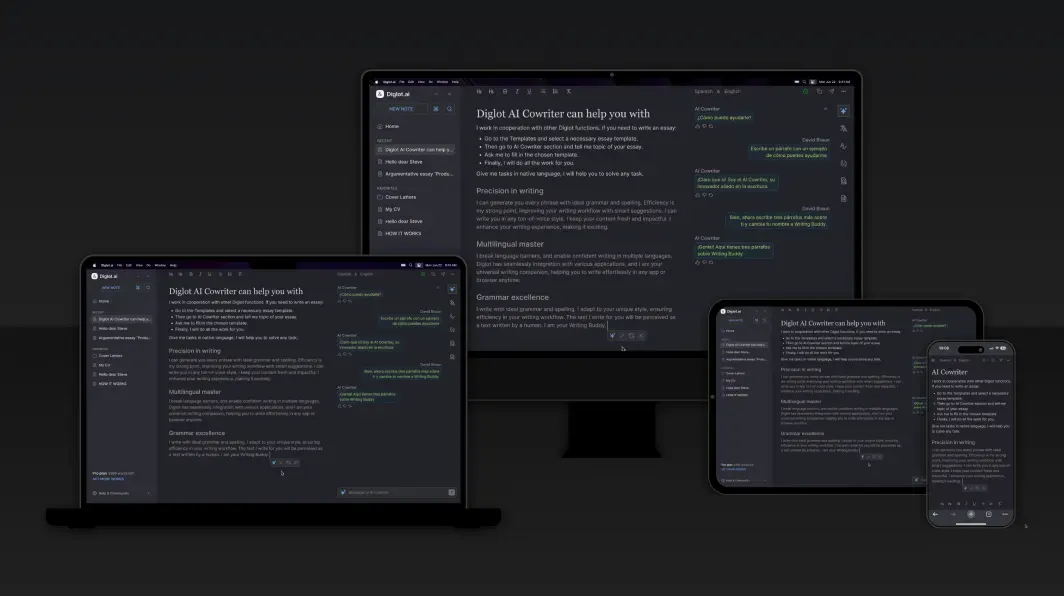
Draft, translate, and rewrite in one editor.
Built for people who think in one language and publish in English.
Start for free

No credit card required

Or fix a paragraph first — free tools, no account
AI Writing Assistant

Draft, rewrite, and polish English in one workspace built for non-native speakers.

AI Translator

Translate, compare, and refine text inside the same bilingual writing workflow.

Grammar Checker

Fix grammar, spelling, punctuation, and awkward English while you write.

Paraphrasing Tool

Rewrite sentences for clarity, fluency, and originality without losing meaning.

Plagiarism Checker

Review originality and fix flagged overlap before submission or publishing.

Writing Templates

Start from ready-made structures for essays, emails, reports, and proposals.

Public beta

Start writing better English — free

Diglot is in public beta and free to start. Draft, translate, and fix your English in one editor built for non-native writers. No credit card, no waitlist.

Start writing free

What can you do in one app instead of five?

Diglot replaces the usual stack of separate tabs — a translator, a grammar checker, a paraphraser, a plagiarism scan, and a document you paste between them. Draft in your first language, translate inside the document, fix the grammar that your language specifically breaks in English, rewrite for tone, and check originality before you submit. Everything stays in one editor, so the meaning you started with survives to the version you publish. It is built for non-native English speakers who write in English regularly — students, researchers, and professionals — rather than for native speakers who only need a spellcheck.

AI Writing Assistant

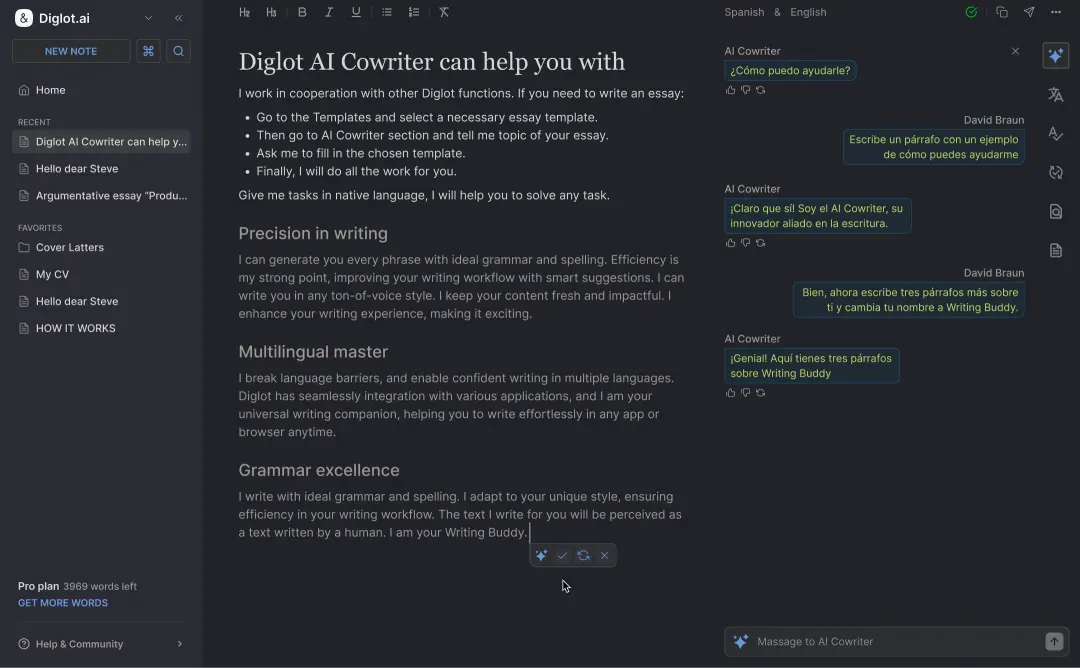
Move from rough documents to clearer English drafts without jumping into a separate chatbot. Diglot keeps drafting, rewriting, and polishing inside the same document.

  • Start from a rough draft
  • Rewrite selected passages
  • Adjust tone to fit the audience
  • Keep document context while editing

AI Translator

Translate in context while you write, compare alternatives, and refine the final English output without leaving the page.

  • Translate words and full phrases
  • Compare translation options
  • Keep source meaning in view
  • Edit translated text immediately

Grammar Checker

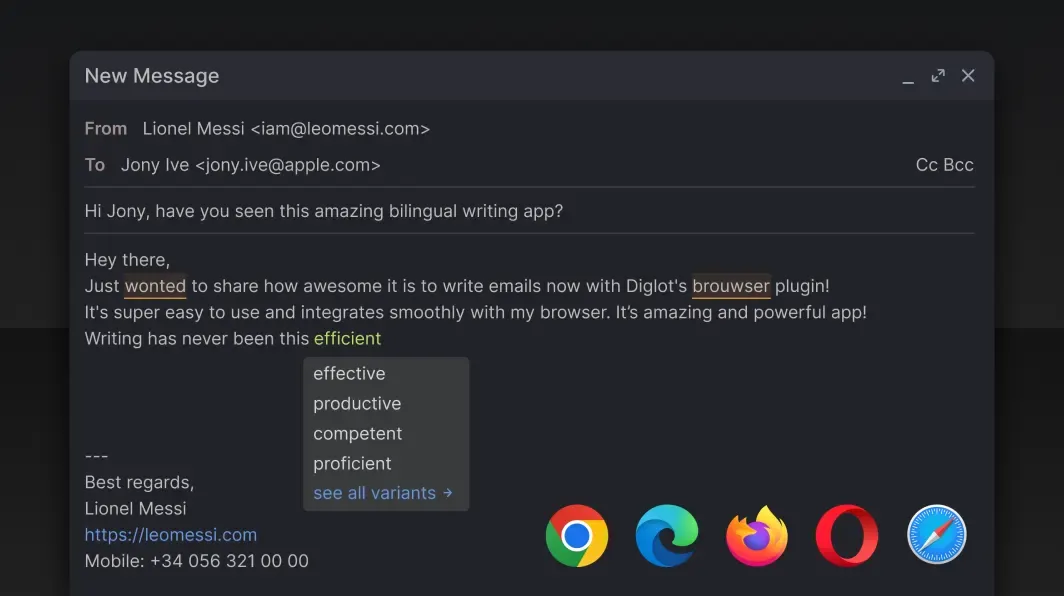
Catch grammar, spelling, punctuation, and awkward translated phrasing as part of the drafting flow, not as a separate cleanup step.

  • Fix grammar and spelling inline
  • Improve clarity and sentence flow
  • Correct punctuation quickly
  • Review for business and academic English

Paraphrasing Tool

Rewrite awkward sentences, compare cleaner alternatives, and keep the version that best matches your meaning and tone.

  • Rephrase sentences and paragraphs
  • Keep the original meaning
  • Reduce repetition
  • Improve fluency in English

Plagiarism Checker

Check originality before submission, inspect overlap, and revise flagged passages without leaving the same writing workflow.

  • Scan for overlap
  • Review flagged sources
  • Rewrite or exclude passages
  • Prepare cleaner submissions

Writing Templates

Start from useful structures for essays, emails, reports, and proposals so writing in English feels less blank-page heavy.

  • Business email templates
  • Essay and report structures
  • Proposal starters
  • Repeatable writing workflows

Why do AI detectors flag non-native writing?

Because the writing patterns detectors treat as “machine-like” — plain vocabulary and predictable sentence structure — are also what careful second-language writing looks like. A Stanford study (Liang et al., Patterns, 2023) found AI detectors falsely flagged 61% of TOEFL essays written by non-native English speakers. Diglot is built around that problem rather than ignoring it.

Select and Act
Hotkeys
Powerful Rich Text Editor
Documents
Translation in context
Why Choose Diglot

Fix the three things that make English sound non-native

Free, no signup, runs in your browser. Paste a paragraph and see what a reader notices before you send it. Not sure which of the three your draft needs? The native language detector names the first language behind the habits.

Why does the workflow feel simpler?

Product proof for bilingual drafting, revision, and safe English publishing.

Draft, translate, and refine in one editor
Diglot keeps the full bilingual writing workflow inside one document instead of forcing you to jump between separate translation, grammar, and rewrite tools.
Built for English output, not just translation
The workflow is tuned for people who think in another language and still need final English that reads clearly for work, study, or publishing.
Useful across academic and professional writing
Use the same product flow for essays, reports, client emails, proposals, and content drafts that need clearer English before delivery.
Plans

Write in English without losing your voice.

One workspace replaces translation, grammar, paraphrasing, citations, and originality subscriptions. Upgrade or downgrade anytime.

Spark

For coursework, freelancing, and steady weekly writing.

Smart AI
$15.83 / month
$190 billed yearly Save $38/year
Get Started with Spark
EVERYTHING IN FREE, PLUS:
  • Translation: 50,000 words / month (Smart tier)
  • Grammar: 100,000 words / month
  • Paraphrase: 25,000 words / month, all modes except plagiarism-safe
  • Cowriter: 200 messages / month (Ask + Edit)
  • Research: 100 PDF pages, 100 library and web questions / month
  • Plagiarism: preview 50 / month; full scans via page packs
  • Documents: unlimited
  • Export: 50 / month

Max

For research labs, enterprise teams, and unrestricted power users.

Native AI
$65.83 / month
$790 billed yearly Save $158/year
Get Started with Max
EVERYTHING IN PRO, PLUS:
  • 20x the Pro quota on every meter
  • Translation: 2,000,000 words / month
  • Grammar: 4,000,000 words / month
  • Paraphrase: 1,000,000 words / month
  • Cowriter: 10,000 messages / month
  • Research: 20,000 PDF pages, 600 deep reports / month
  • Plagiarism: preview 20 / day; full scans via page packs
  • Documents and export: unlimited

Free

Fluent AI

Explore the workflow on generous starter limits.

$0 Free forever
STARTER LIMITS INCLUDED:
  • Translation: 5,000 words / month (Fluent tier)
  • Grammar: 20,000 words / month
  • Paraphrase: 300 words / day
  • Cowriter: 5 messages / day
  • Autocomplete: 15 suggestions / day
  • Plagiarism: similarity preview 3 / month
  • Documents: 25
  • Export: 10 / month
Generous starter limits for getting started. Start Free

Monthly writing stack

7 subscriptions

ESL graduate student · one thesis chapter a month

$98.71 per month
  • Jenni AI — Pro · Academic drafting, autocomplete
    $29.00
  • Yomu AI — Pro · Citations, chat with your PDFs
    $19.00
  • Grammarly — Pro · Grammar and tone as you type
    $13.00
  • Undetectable AI · Humanizing before you submit
    $9.99
  • Quetext — Premium · Plagiarism check before you hand it in
    $9.99
  • Consensus — Premium · Finding and reading the literature
    $8.99
  • DeepL Pro — Starter · Thinking in your language, publishing in English
    $8.74
Diglot Pro replaces all 7
Everything above in one bilingual workspace · $29/mo
Save $69.71/mo
14-Day Refund
Fair, no-questions refund policy
Cancel Anytime
1-click cancellation in settings
Bank-Grade Security
256-bit encrypted checkout
Instant Activation
Limits unlock immediately
See all features, compare table & plagiarism packs

Why Diglot fits bilingual writing better than generic AI tools

Diglot is built for people who think in one language and need to write clearly in English. Instead of forcing users to jump between a translator, a grammar checker, a paraphrasing tool, and a blank document, Diglot keeps the full writing workflow in one place.

Write, translate, and revise without leaving the same document

This matters most for non-native English speakers, ESL students, and multilingual professionals. You can draft ideas quickly, translate key phrases, improve grammar, and rewrite awkward sections without losing momentum or meaning.

Use AI help where it matters most

Diglot is especially useful when you need help turning translated thoughts into natural English. The AI writing assistant supports drafting and revision, while grammar checks and paraphrasing help make the final text clearer and more confident.

One app for grammar, paraphrasing, translation, and originality

Instead of optimizing around one narrow function, Diglot supports the whole path from rough idea to finished document. That makes it useful for academic writing, client communication, content creation, and everyday English writing practice.

If you are comparing tools like QuillBot, Wordtune, or Grammarly, Diglot stands out by focusing on bilingual workflows and second-language writing instead of only polishing text that was already drafted in fluent English.
What is Diglot, and who is it for?

What is Diglot?

Diglot is a bilingual writing workspace for people who think in one language and publish in English. Drafting, translation, grammar review, paraphrasing, and originality checks live in one editor instead of across separate tools.

Who is Diglot for?

It is built for non-native English speakers who write in English regularly — students, researchers, and professionals — rather than for native speakers looking for a general grammar checker.

Is Diglot the same as the diglot weave method?

No. The diglot weave method is a language-teaching technique that mixes words from a second language into text in your first language. Diglot is a writing application. The names are unrelated beyond the shared root.

Can Diglot help if an AI detector flagged my writing?

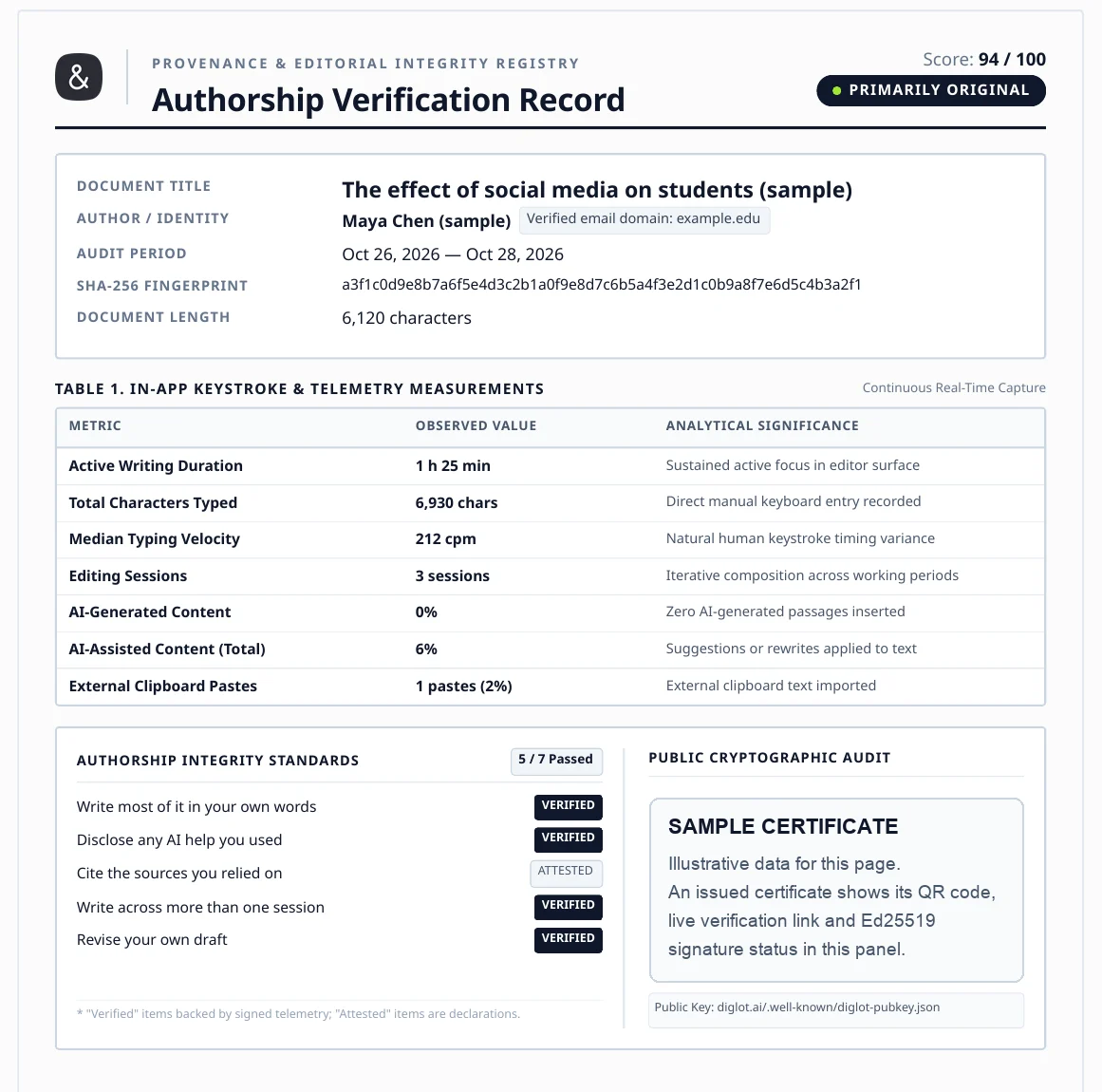
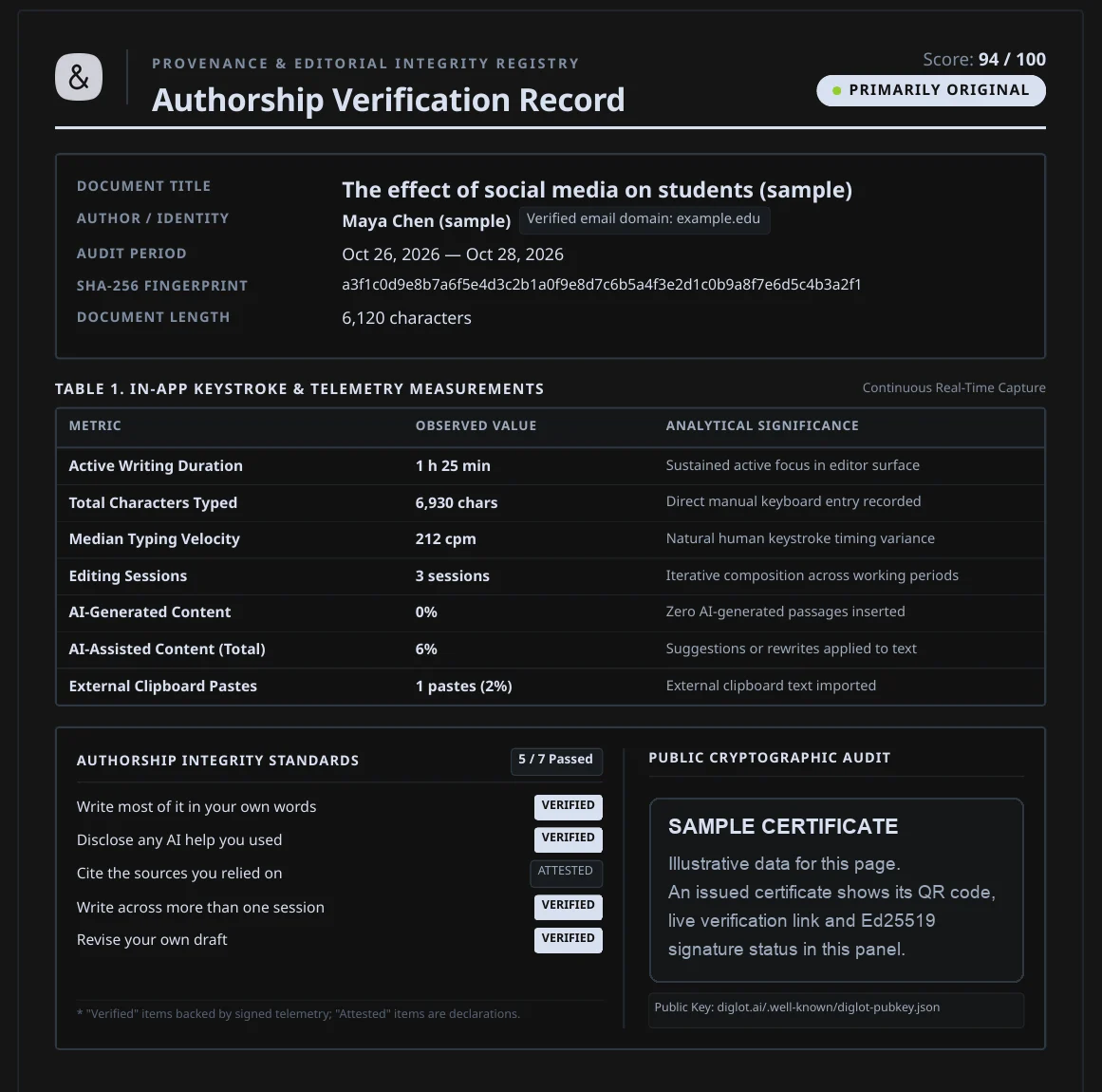
Yes. Diglot issues an Authorship Certificate — cryptographically signed proof that you wrote your own text — which you can use to answer a false AI-detection accusation.

Do I have to write in English to use Diglot?

No. You can draft in your own language and publish in English, keeping translation and grammar review inside the same document rather than pasting between tools.

Is there a free version?

Yes. The Free plan covers the core bilingual workflow with limited word counts, so you can test how you actually work before deciding whether a paid plan fits.

Write in your language,
publish in English

Move from rough bilingual drafts to clearer English in one connected writing workflow.

Start for free

*No credit card required