Skip to content
The editor, step by step

How the Diglot Editor Works

Diglot is one bilingual editor that takes you from a rough native-language idea to English you can hand in. Here’s what actually happens on the screen — how translating, L1-aware fixes, the AI co-writer, and a signed record of your edits fit into a single pass instead of a scavenger hunt across apps.

Try the editor free

*No credit card required

Inside Diglot
One connected editing flow

Most writing tools do one thing and pass you along to the next. Diglot keeps drafting, translating, correcting, and proving authorship inside the same editor, so nothing gets dropped between steps. Here’s how the pieces actually connect.

  • Two languages on one screen — the source stays put while you polish the English
  • Corrections tell you why a line reads translated, not just that something’s off
  • The Cowriter agent drafts, rewrites, and continues text from inside the document
Draft, refine, and deliver English in one calm workspace.
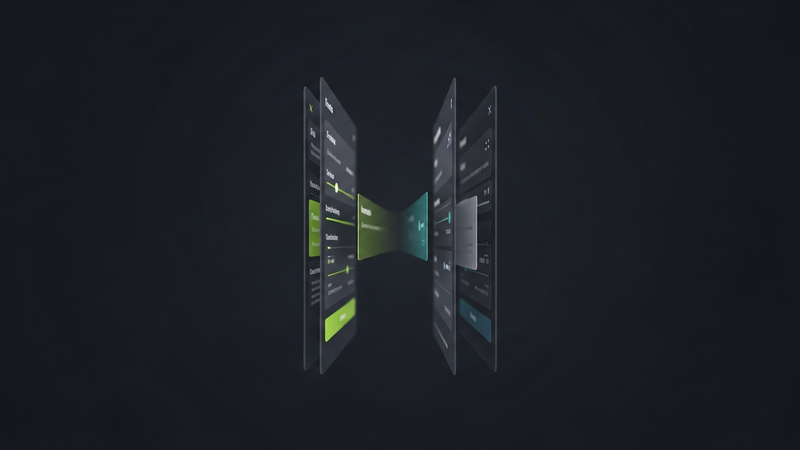
Diglot editor showing translation, grammar, and co-writer in one document
The editor, step by step

Four things happen in one document, not six tabs

Built for non-native English writers

Most writing tools do one thing and pass you along to the next. Diglot keeps drafting, translating, correcting, and proving authorship inside the same editor, so nothing gets dropped between steps. Here’s how the pieces actually connect.

Select, then act — right in the text

Highlight a word or a whole sentence and translate it, rewrite it, or ask what’s wrong with it, in place. The action lands on the selection inside your document — no pop-out app, no losing your spot in the draft.

Fixes that know which language you think in

Grammar and style feedback is tuned to how your first language leaks into English, so instead of a red underline you get the reason a sentence sounds translated and the version that doesn’t. The pattern sticks, so the next draft starts cleaner.

A history that can prove authorship

While you write, Diglot keeps a signed, append-only record of how the document took shape. If a detector ever calls your work AI, that record is cryptographic evidence you wrote it — a good deal harder to wave away than Google Docs version history.

How this workflow works

Move from bilingual rough ideas to polished English in one calm flow instead of stitching together separate tools.

Step 1

Start from a rough idea

Write in your native language or a mix of both. The editor keeps your source and English together so nothing has to be perfect on the first pass.

Step 2

Select text and act

Highlight any passage to translate, rewrite, or explain it in place — the action happens on the selection inside the document, not in a separate app.

Step 3

Let corrections and the co-writer help

L1-aware grammar explains why a sentence reads translated, and the Cowriter agent drafts or rewrites from inside the document using the surrounding context.

Step 4

Finish with proof you wrote it

Every edit feeds a signed revision history — your Authorship Certificate — so the finished document carries tamper-evident proof of how it was written.

Inside this workflow

What you can do with Diglot

Use this workflow to move from bilingual drafts to cleaner English output without breaking your editing flow across separate tools.

Inside this workflow

One calm path from rough idea to final English

Diglot keeps drafting, translation, grammar review, and rewriting inside the same workspace so you do not have to move text across disconnected tools.

  • Word, phrase, and sentence translation
  • Source stays visible while you edit
  • Move straight into grammar and rewrite
Translate inside the document

Translation is part of the editor, not a separate destination — select text and get contextual English without breaking your writing flow.

  • Word, phrase, and sentence translation
  • Source stays visible while you edit
An AI co-writer with context

The Cowriter agent works from inside your draft, using selection and surrounding text instead of a blank chat window — and you review before applying.

  • Continue writing from the cursor
  • Rewrite a selection or adjust tone
01
Two languages on one screen — the source stays put while you polish the English
02
Corrections tell you why a line reads translated, not just that something’s off
03
The Cowriter agent drafts, rewrites, and continues text from inside the document
04
Every edit builds a signed history you can hand over as proof you wrote it

What this module includes

The module is not just one button. It is a focused part of the Diglot workspace with real writing actions, review controls, and context-aware output.

Translate inside the document

Translation is part of the editor, not a separate destination — select text and get contextual English without breaking your writing flow.

  • Word, phrase, and sentence translation
  • Source stays visible while you edit
  • Move straight into grammar and rewrite

An AI co-writer with context

The Cowriter agent works from inside your draft, using selection and surrounding text instead of a blank chat window — and you review before applying.

  • Continue writing from the cursor
  • Rewrite a selection or adjust tone
  • Make a paragraph sound more native

Proof of authorship, built in

Every edit is written into a signed, append-only history, so the finished document proves how it was written over time.

  • Tamper-evident revision history
  • Stronger than Google Docs versions
  • Defends against false AI-flag accusations

Who this is built for

Diglot works best when English is your output language but not always your thinking language.

Essays, assignments, and academic tone

International students

Move from rough documents to cleaner English submissions with structure, paraphrasing, grammar review, and originality checks in one place.

Emails, reports, and client-facing writing

Multilingual professionals

Write faster for work without sounding translated. Diglot helps you refine tone, clarity, and confidence before you hit send.

Abstracts, papers, and citations

Researchers and graduate writers

Keep academic structure, wording quality, and originality in one workflow when your final output needs to sound precise and credible.

Editorial review

Why trust this workflow

This page is written for non-native English speakers and reviewed against the current Diglot workflow, not against a generic AI copy template.

Workflow fit

Built around real bilingual writing tasks

The guidance on this page reflects how Diglot handles drafting, translation, grammar review, paraphrasing, and originality checks inside one editor.

Audience fit

Written for people who think in one language and deliver in English

Examples, copy, and workflow steps are shaped for students, professionals, and creators who need clearer English output without losing meaning.

Editorial review

Reviewed by Diglot Editorial Team

Last reviewed on July 18, 2026. We update these landing pages when the workflow, module behavior, or recommended writing path changes.

Frequently asked questions

Everything you need to know before getting started.

How does the Diglot editor work?

You work in one bilingual editor that keeps your native-language source and your English side by side. Highlight any passage to translate, rewrite, or check it where it sits. Grammar and paraphrasing are L1-aware, the AI co-writer drafts and rewrites from inside the document, and each edit is logged into a signed history. Drafting, translating, correcting, and proving authorship happen without you leaving the page.

Can I translate and write in the same editor?

Yes. Translation is part of the editor, not a separate site you paste into. Select text to translate it inline with literal, idiomatic, and formal options, keep the source on screen while you tune the English, then move straight into grammar and rewriting on the result — one document throughout.

What is the AI co-writer and when does it help?

The Cowriter agent runs inside your document. Drop the cursor and it can keep writing from there; select a passage and it can rewrite it, shift the tone, or make a stiff paragraph read more like a native wrote it — always using the surrounding draft as context, not a blank chat box. You see every change before it lands.

How does the revision history prove I wrote my text?

Every edit gets written into an append-only, cryptographically signed chain — your Authorship Certificate. Google Docs version history is easy to dispute; this is tamper-evident, showing how the document was built over time, and you can share it if your work is ever wrongly flagged as AI.

Do I need to install anything to use the editor?

No — Diglot runs in any modern browser on desktop and mobile. The free plan includes the bilingual editor, translation, grammar, and paraphrasing; paid plans raise the usage limits and add the full Authorship Certificate and premium model tiers.

Write in your language,
publish in English

Move from rough bilingual drafts to clearer English in one connected writing workflow.

Start for free

*No credit card required

Diglot.ai - bilingual writing tool, write and translate in one app

People ask how Diglot works because it doesn’t follow the usual one-tool-one-job pattern — a translator here, a grammar checker there, a version-history feature off in some menu. Diglot is a single bilingual editor where those parts are wired together, so it’s worth walking through what a session actually looks like. You start with a rough idea in your native language. You highlight a passage and translate it in place — literal, idiomatic, or formal — with the source staying pinned so you don’t lose your bearings the way an in-place translator makes you. You edit the English right next to it, and the grammar feedback is L1-aware: it recognizes that a missing article or a flattened tense traces back to your first language, and it explains the fix instead of just underlining it. Need a hand drafting? The Cowriter agent works from inside the document, continuing from the cursor or rewriting a selection while it can see the paragraphs around it. And underneath all of that, every edit is written into a signed, append-only history — your Authorship Certificate — so if your writing is ever wrongly flagged as AI, you can show exactly how it was built, which carries far more weight than the Google Docs version history most students fall back on. That’s the whole loop: draft, translate, correct, and prove authorship, in one editor, so meaning survives from your first language to the final line.