In this article
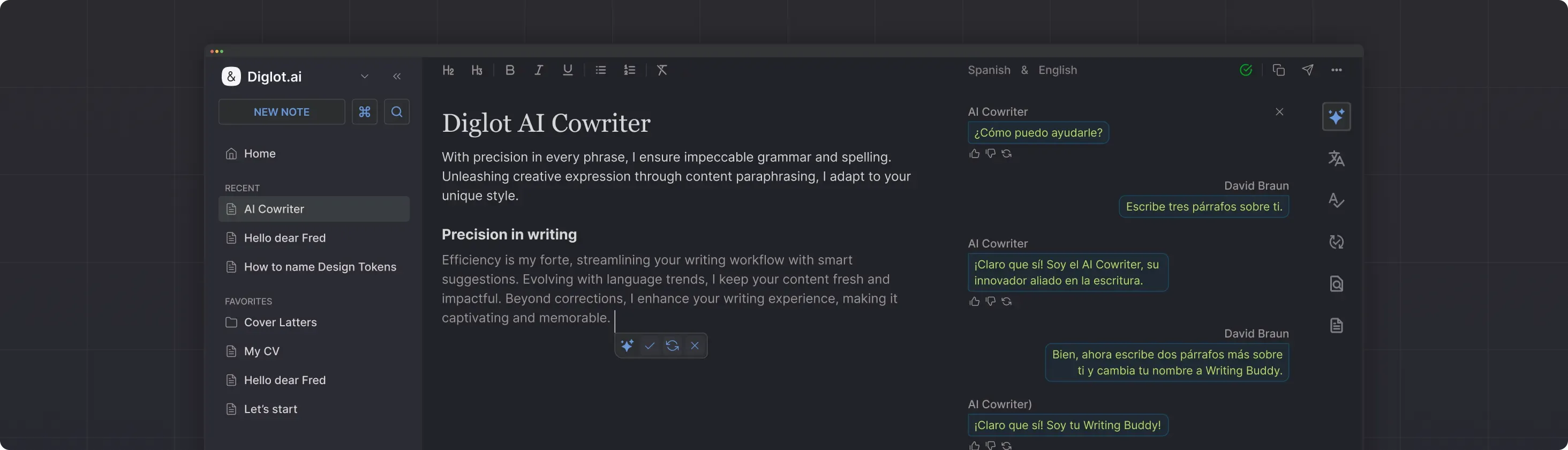
The term "AI cowriter" can mean very different things. For some tools, it means a chatbot that generates text from a prompt. For Diglot, it means an AI assistant that works inside your document, understands your context, and helps you write better English without taking over the writing.
That distinction matters for ESL writers. You do not need an AI to write for you. You need an AI that helps you express your own ideas in clearer, more natural English.
Three Modes for Different Writing Situations
Diglot's AI Writing Assistant works in three modes, each suited to a different stage of the writing process. Ask mode answers questions and helps you get unstuck. Edit mode improves text you have already drafted. Plan mode organises an outline before you start writing. Matching the mode to the task is how non-native writers get useful help without losing voice.
Ask Mode: When You Need Help Getting Started
Ask mode works like a knowledgeable writing partner you can consult. You can ask questions about how to structure a document, request examples of how to phrase a particular idea, or get suggestions for approaching a topic you are unfamiliar with.
For ESL writers, Ask mode is particularly useful when you know what you want to say in your native language but are not sure how to express it in English. You can describe the idea and ask for phrasing suggestions, then choose and adapt the version that matches your intent.
Edit Mode: When You Have a Draft to Improve
Edit mode works directly on text you have already written. Select a paragraph, and the assistant can suggest improvements to clarity, grammar, flow, or tone. The suggestions appear as edits you can accept, modify, or reject.
This mode is where most ESL writers get the greatest value. After writing a rough draft in English, Edit mode helps polish individual sections without losing the overall structure and ideas you put in place.
Plan Mode: When You Need to Organize First
Plan mode helps you create an outline or document structure before writing. You describe what you need to write — a research paper, a business report, a cover letter — and the assistant suggests a section-by-section plan.
For ESL writers, this is especially helpful when writing in an unfamiliar format. English academic papers follow a specific structure (introduction, methods, results, discussion). Professional documents have their own conventions. Plan mode gives you the structure so you can focus your energy on the content.
How the Cowriter Stays Connected to Your Workflow
The cowriter is not a standalone tool. It runs inside the same workspace where you translate, check grammar, paraphrase, and verify originality. Every suggestion sees the document context, so phrasing matches tone and vocabulary already in place. Edits flow through the grammar and originality passes automatically, which keeps revisions consistent across the whole document.
When you use Edit mode to improve a translated paragraph, the cowriter knows the translation context and can suggest more natural alternatives than a generic rewriter.
When you use Ask mode to get phrasing help, the suggestion considers the rest of your document — matching tone, register, and vocabulary with what you have already written.
When you accept an edit, the grammar checker immediately verifies the changed text, and the plagiarism checker can confirm the rewritten passage is original.
When an AI Cowriter Is Most Useful
An AI cowriter earns its place in four situations: overcoming writer's block when the right English words refuse to come, improving translated text that reads as stiff or stilted, tackling unfamiliar document formats like grant applications or academic papers, and giving a near-final draft one polish pass before submission. Outside these cases, the value drops sharply.
Overcoming writer's block. When you stare at a blank page or a half-written paragraph and cannot find the right English words, Ask mode gets you unstuck.
Improving translated text. After translating from your native language, Edit mode helps transform correct-but-stiff English into natural-sounding prose.
Tackling unfamiliar formats. When you need to write a document type you have never written before, Plan mode provides the scaffolding.
Final polish before submission. Edit mode on your near-final draft catches awkward phrasing, weak transitions, and unclear sentences that grammar checkers miss.
Keeping Your Voice
Many ESL writers worry that an AI cowriter will flatten their personal voice. The fix is simple: write the first draft yourself, then use the assistant to improve specific sections. Voice comes from ideas, perspective, and how you structure an argument — not from whether you picked the right preposition. AI polish makes your voice clearer, not quieter.
Your voice comes from your ideas, your perspective, and the way you structure an argument — not from whether you used the right preposition. When the AI fixes grammar and improves phrasing, it makes your voice clearer, not quieter.
Try Diglot for free — AI cowriting that helps you write better English without losing your own voice.